


Last year, we launched Intelligent Showback for Microsoft Azure, which filled gaps in Microsoft’s native tooling: cost lands where the commitment is purchased, not where it is consumed, and savings are applied non-deterministically instead of proportionally by usage.
Intelligent Showback solves this for most organizations running a centralized commitment model: costs are billed across beneficiaries, savings are reallocated equitably, and automated financial reporting frees time for accounting and finance teams.
Since then, adoption has grown. Customer feedback pointed to what to build next.
What We Heard from Customers
“How do I customize your showback reports? For example, group based on our brands/accounts/business units?”
We heard this from multiple customer conversations. Organizations have business units, brands, customer accounts, and/or internal cost centers that don’t map to cloud-native constructs like Azure Subscriptions or Resource Groups. Showback reporting should aggregate and allocate data by groupings aligned with the business, so finance and accounting can close the books quickly without manually recategorizing data in spreadsheets.
Most Azure organizations also have hundreds of subscriptions. Commitment cost and savings reallocation at that scale is a constant grind, taking hours away from higher-priority work. Teams run the same analysis monthly: export the data, rebuild the same formulas, produce similar reports. Scheduling reports ahead with the desired groupings saves time, especially during month-end close.
New Features in Intelligent Showback for Azure
These new features address customer feedback:
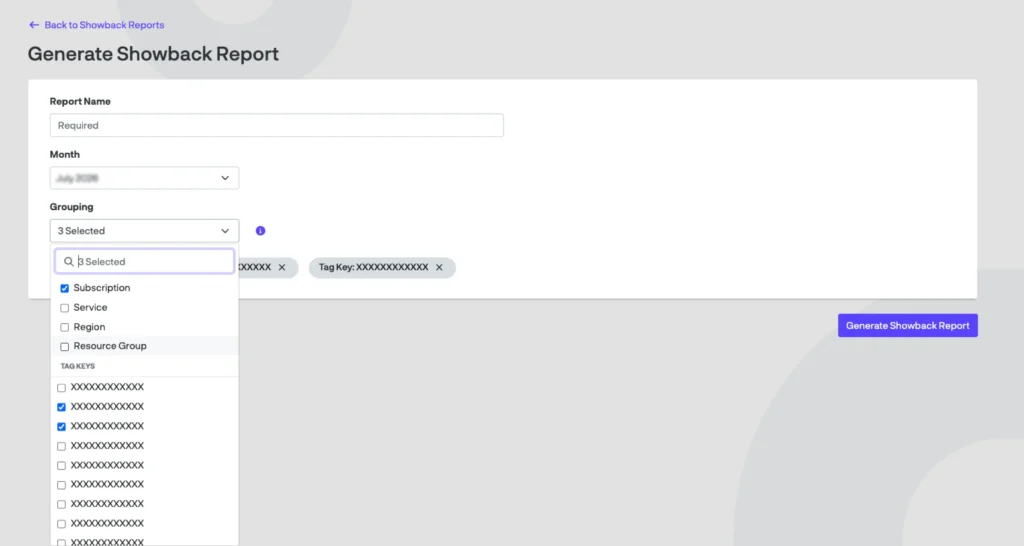
- Custom Tags: Reallocate commitment cost and benefits the way your business is organized. ProsperOps leverages existing tags based on groupings you already deployed in your Azure environment, so you can save time and effort.
- Multi-Dimensional Grouping: Configure reports using any combination of the following:
- Subscription (e.g., prod-env)
- Resource Group
- Service (e.g., Virtual Machine)
- Region (e.g., centralus)
- Custom Tag
- Generate Reports On-Demand: Generate any new report configuration on-demand using completed months’ data.
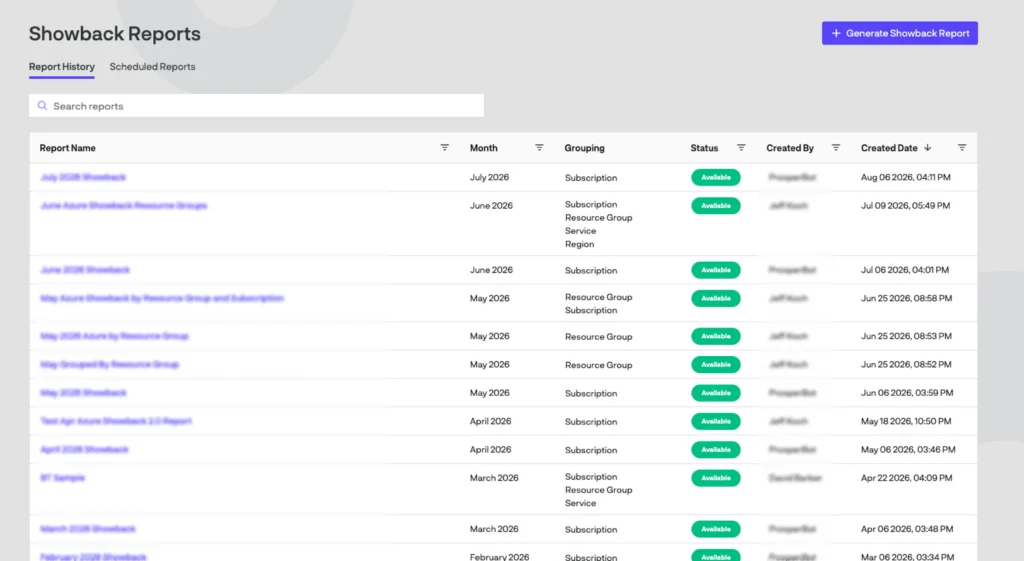
- Report Scheduling: Schedule reports automatically against finalized billing data each month, saving redundant work when closing the books. Pause or delete schedules anytime.
- Report History: Every report, scheduled or ad hoc, is retained in a repository users can view or export anytime.
Explore New Features in Console
Custom tags, multi-dimensional grouping, scheduling, and report history let customers build showback reports that match their organization’s needs, while saving finance and accounting time on repetitive tasks.
To see these features in action, sign up for a demo.
Already a ProsperOps customer? Reach out to your Customer Experience Advisor for an in-depth walkthrough.