


As a FinOps automation platform, our primary objective at ProsperOps is attacking the cloud waste pool and delivering savings outcomes. To help customers understand and visualize those outcomes, the ProsperOps Console includes a number of dashboards for Savings, Commitments, Prepayments, Intelligent Showback, and more. Our customers leverage our dashboards in a variety of ways (e.g., closing their books, intelligently allocating cost and savings), but we’ve heard increasing demand for the ability to programmatically integrate with our data and do ad hoc analysis, whether that is automating chargeback/showback pipelines, incorporating Effective Savings Rate and Commitment Lock-In Risk into internal FinOps dashboards, comparing monthly savings performance across multiple organizations, etc.
We are excited to announce the availability of a new ProsperOps Data Export feature that addresses these use cases. Data Export is an optional feature for AWS organizations managed by ProsperOps Autonomous Discount Management for AWS Compute.
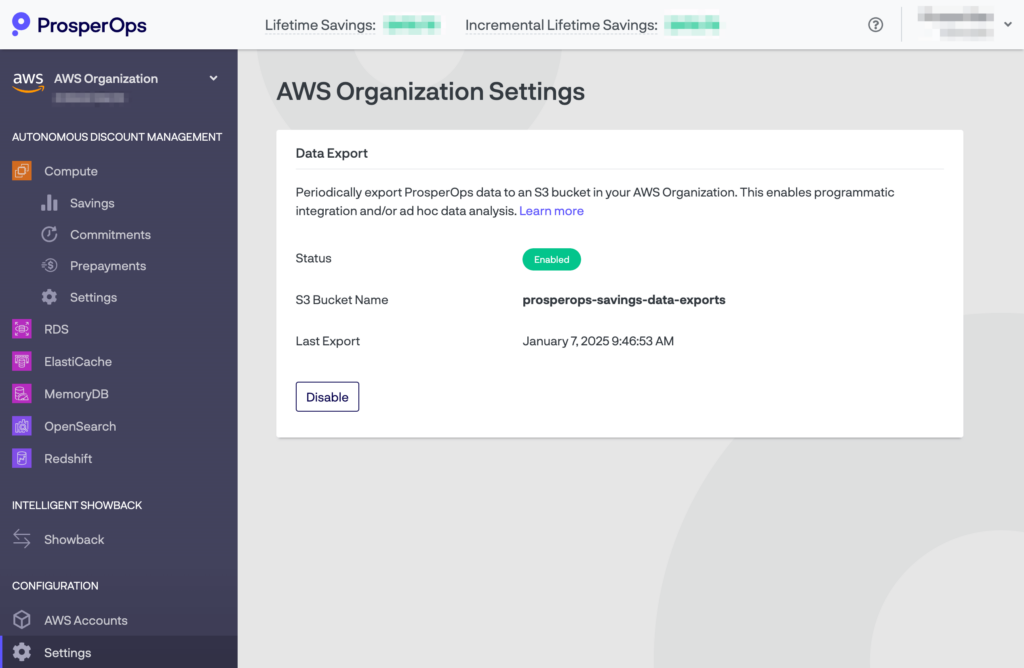
Once enabled, it writes ProsperOps data (in CSV format) to an S3 bucket daily. Exports include all historical data in the ProsperOps platform (e.g. if you have been a ProsperOps customer for 3 years and enable Data Export, your export files will include 3 years of data). You can think of and interact with Data Export files much like you do AWS Cost and Usage Report (CUR) files. No ProsperOps-specific APIs or API keys are required. You can leverage native AWS permissioning and services to integrate. For example, each time the ProsperOps Data Export files are updated, you might leverage S3 triggers to automatically invoke a Lambda function that reads in the new data and takes action on it. In short, AWS customers can use existing models and tooling they are already familiar with to integrate ProsperOps data.
This feature is available at no additional cost. For more information, please see this help article. Happy integration.
Prosper On! 🖖
Joe