

Choosing a cloud provider is rarely easy. There’s a lot to consider, and most platforms offer very similar types of services and capabilities. For many businesses, the decision ultimately comes down to pricing flexibility and cost control.
When it comes to AWS, Azure, and Google Cloud, their pricing structures go beyond pay-as-you-go models, offering various discounts, commitments, and reservation options that help businesses optimize cloud costs.
While these discount instruments may appear similar on the surface, they have different names, functionalities, pricing, availability, and technical configurations. This is why it’s crucial to understand each discount instrument and how it differs from similar offerings from other cloud providers.
In this blog, we’ll explore how these pricing models compare across the three platforms, highlighting key features, flexibility, and the potential for long-term cost savings based on specific business needs.
Understanding AWS Discounts and Reservations
AWS offers discounted pricing models including Reserved Instances (RIs), Savings Plans (SPs), and Spot Instances. Each discount option can help reduce monthly spending and lower your total cost of ownership (TCO).
| Feature | Reserved Instances (RIs) | Savings Plans (SPs) | Spot Instances |
| Definition | A discounted pricing model where you commit to specific resources for 1 or 3 years, saving up to 72% vs. On-Demand rates. | Flexible pricing model offering significant discounts in exchange for committing to consistent $/hour usage over 1 or 3 years. | Spare EC2 capacity offered at deeply reduced prices, up to 90% cheaper than On-Demand, but can be terminated anytime. |
| Primary Types | Standard RI and Convertible RI. | EC2 Instance SP, Compute SP, and SageMaker SP. | No subtypes; based on available EC2 capacity. |
| Commitment Term | 1-year or 3-year fixed term. | 1-year or 3-year commitment to a spend rate. | No commitment. |
| Discount Range | Up to 72% for Standard RIs; up to 54% for Convertible RIs. | Up to 72% for EC2 SPs, 66% for Compute SPs, and 64% for SageMaker SPs. | Up to 90% discount depending on capacity and demand. |
| Flexibility | Standard RIs: low flexibility; Convertible RIs: high flexibility (modifiable attributes and exchanges). | Varies by plan: EC2 SPs limited to same family/region; Compute SPs allow full cross-family, region, and OS flexibility; SageMaker SPs limited to SageMaker services. | Very high flexibility to start or cancel anytime, but subject to termination by AWS. |
| Payment Options | All upfront, partial upfront, or no upfront payments. | Hourly commitment model; no upfront payment required. | Pay per use; no commitment or upfront payment. |
| Scope / Applicability | Applies to EC2 and other AWS services like RDS, OpenSearch, ElastiCache, and Redshift; regional or zonal. | Applies across EC2, Lambda, Fargate, and SageMaker depending on plan type. | Applies to EC2 capacity available in specific regions and zones. |
AWS Reserved Instances
AWS Reserved Instances are a discounted pricing model that allows you to save up to 72% off On-Demand rates in exchange for committing to a defined set of resources for a period of one or three years.
You determine the scope of your RI at the time of purchase, formatting it as either regional or zonal. Regional RI discounts apply when using instances within a certain Region, while zonal RI discounts apply in a specific Availability Zone.
You can modify or exchange your RIs depending on their assigned class: Standard or Convertible.
- Standard RIs: Standard RIs offer the highest discounts, up to 72%, and are best for predictable workloads because they do not offer flexibility in changing attributes like instance type, operating system, or quantity after purchase. Thus, they are comparatively much less flexible than CRIs.
- Convertible RIs: Convertible RIs provide discounts up to 54% but offer the flexibility to change the attributes of the RI throughout the commitment term, maintaining the original expiration date even after modifications. In addition to the ability to modify configurations, you also can exchange them for other RIs with new attributes.
Beyond EC2, RIs apply to other AWS services like Amazon RDS, OpenSearch, ElastiCache, and Redshift. These reservations provide cost savings for long-term database, search, and caching needs, ensuring broader cost optimization across AWS services.
You can purchase RIs in one of three ways: all upfront, partial upfront, or no upfront payments. The more you pay upfront, the higher the pricing discounts you’ll receive.
AWS Savings Plans
AWS Savings Plans are flexible pricing models that offer significant discounts (up to 72%) compared to On-Demand rates in exchange for a commitment to a consistent amount (measured in $/hour) over a one- or three-year term. Unlike RIs, Savings Plans apply discounted rates regardless of region, availability zone, or instance family used.
AWS offers three different Savings Plans options to choose from:
- EC2 Instance Savings Plans: EC2 Instance Savings Plans offer the highest cost-benefit, saving customers up to 72% on cloud spending. However, unlike other Savings Plans, EC2 SPs limit usage changes to those within the same family or region.
Purchasing an EC2 Instance Savings Plan requires you to commit to a specific instance family (such as M or C), a specific generation (such as 5 or 6), as well as a specific Region (such as Northern Virginia (us-east-1), or Oregon (us-west-2).
- Compute Savings Plans: Compute Savings Plans provide savings of up to 66% on EC2, Lambda, and Fargate resource usage. They also allow flexibility across various instance families, operating systems, and regions, making them ideal for those who require multiple or changing instance types.
- SageMaker Savings Plans: SageMaker Savings Plans are a discounted committed usage model designed exclusively for Amazon SageMaker. You can save up to 64% in exchange for a commitment to a consistent usage level (measured in $/hour) over a one- or three-year term. It is eligible for multiple SageMaker products, including Studio Notebook, Data Wrangler, Real-Time Inference, and Batch Transform.
Spot Instances
AWS Spot Instances are spare EC2 capacity offered at significantly discounted rates, often up to 90% cheaper than On-Demand pricing. However, unlike RIs and SPs, Amazon can terminate and withdraw Spot Instances anytime. Region and zone availability of Spot Instances will depend on current supply and demand.
Due to their unstable nature, Spot Instances are ideal for running stateless or fault-tolerant workloads. Some common use cases include managing Kubernetes clusters, running HPC workloads, and launching CI/CD pipelines.
There are no required commitment periods to purchase a Spot Instance, and you can cancel them anytime.
Microsoft Azure Discounts and Reservations
Azure has a wide range of cloud pricing options available. Like AWS, Azure provides significant discounts when committing to extended usage of select services. However, Azure also offers other unique cost-saving opportunities, including Hybrid Benefits.
| Feature | Azure Reserved Virtual Machine Instances | Azure Savings Plans | Azure Hybrid Benefit | Azure Spot VMs |
| Definition | Commit to specific VMs for 1 or 3 years to save up to 72% vs. pay-as-you-go. | Commit to hourly compute spend for 1 or 3 years, saving up to 65%. | Reuse existing Windows, SQL, RHEL, or SUSE licenses to save up to 85%. | Use unused Azure capacity at up to 90% off; capacity may be reclaimed anytime. |
| Primary Types | Standard reservations for Windows or Linux. | One plan type covering multiple compute services. | Applies to Microsoft and Linux licenses; stackable with reservations. | Single type based on available capacity. |
| Commitment Term | 1 or 3 years. | 1 or 3 years. | None (depends on license). | None. |
| Discount Range | Up to 72% (80% with Hybrid Benefit). | Up to 65%. | Up to 85%. | Up to 90%. |
| Flexibility | Moderate; exchanges allowed, no region transfers. | High; applies across instance types, OSs, and regions. | High; combines with RIs and applies automatically. | Very high; cancel anytime, may terminate without notice. |
| Payment Options | Upfront or monthly (same discount). | Hourly spend commitment. | No extra cost beyond Azure usage. | Pay per use; set max price. |
| Scope / Applicability | Windows/Linux VMs in most regions. | All eligible compute services, region-agnostic. | Windows, SQL, RHEL, SUSE workloads. | Available compute capacity per region. |
| Use Cases | Long-term, steady workloads. | Flexible or variable compute workloads. | License-based migrations to Azure. | Batch, dev/test, or interruptible jobs. |
Azure Reserved Virtual Machine Instances
Like AWS RIs, Azure Reserved VM Instances are a purchasing option that allows businesses to save you up to 72% compared to standard pay-as-you-go rates in exchange for committed usage of virtual machine (VM) instances over a one- or three-year term. Azure Reserved VM Instances are available in most regions and intended for Windows and Linux servers. You can also combine Reserved VM Instances with Azure Hybrid Benefit to increase your savings by 80%.
Reserved VM Instances are ideal for steady, long-term workloads with predictable usage patterns.
Microsoft Azure offers two payment options: a single upfront payment or a monthly payment plan with no additional cost. Unlike AWS, where more upfront payment leads to greater discounts, Azure has standardized discount rates that are independent of payments being made all upfront or in installments.
Certain region restrictions apply to Reserved VM Instances, and discount percentages vary depending on your chosen locations. While you can’t transfer reservations to a new region, you can exchange them for ones of greater or equal value.
Azure Savings Plans
Azure Savings Plans let you save up to 65% compared to the pay-as-you-go pricing model. Like AWS SPs, Azure Saving Plans require a one- or three-year commitment to a fixed hourly compute spending amount in exchange for significant discounts.
Azure Savings Plans offer even more flexibility than Reserved VM instances. Discounts apply automatically to any eligible computing services, regardless of instance size, operating system, or region location.
Azure Hybrid Benefit
Azure Hybrid Benefit provides a more affordable way for businesses to migrate their infrastructure to Microsoft Azure by allowing them to apply their existing Windows Server and SQL licenses. Hybrid Benefit can save you up to 85% over standard pay-as-you-go rates.
Azure Hybrid Benefit also applies to RHEL (Red Hat Enterprise Linux) and (SUSE) Linux Enterprise Server subscriptions. Customers can combine their Hybrid Benefit with Reserved VM Instances to save even more on cloud costs.
Azure Spot VMs
Azure Spot VMs provide deep discounts of up to 90% compared to pay-as-you-go rates. Total savings potential when purchasing Azure Spot VMs will depend on the instance type and the region selected.
Like AWS Spot Instances, Azuze Spot VMs can be canceled anytime with little warning. However, they are ideal for situations where workload interruptions are acceptable, such as batch processing or dev/test environments.
Spot VMs have very similar properties to AWS Spot Instances, but their pricing model is slightly different:
- AWS dynamically adjusts prices based on long-term trends in supply and demand, and users pay the current Spot price.
- Azure allows users to set a maximum price they’re willing to pay for Spot VMs.. It will reclaim the VM if the market price exceeds that set threshold, offering a different approach to cost control.
Google Cloud Discounts and Commitments
Similar to AWS and Azure, Google Cloud also offers a wide range of pricing variations and provides ways for customers to save more on their cloud billing with the discounted models:
| Feature | Committed Use Discounts (CUDs) | Sustained Use Discounts (SUDs) | Spot VMs |
| Definition | Discounted pricing for committing to specific resources or spend for 1 or 3 years. | Automatic discounts for consistent, long-term VM or GKE usage. | Low-cost, preemptible VMs reclaimable by Google when capacity is needed. |
| Primary Types | Resource-based CUDs (specific vCPU/memory/GPU) and Spend-based CUDs (based on total spend). | Single type, automatically applied to eligible Compute Engine and GKE resources. | Single Spot VM type across available capacity. |
| Commitment Term | 1 or 3 years. | None; applied monthly based on usage. | None; reclaimable anytime. |
| Discount Range | 55–70% depending on resource type and term. | Up to 30% based on continuous monthly usage. | 60–91% off standard pricing. |
| Flexibility | Resource-based CUDs: limited; Spend-based CUDs: high flexibility across services. | Automatic, no setup required; tied to consistent usage only. | Very high; cancel anytime but subject to termination. |
| Payment Options | Fixed-rate commitment; billed monthly or upfront. | Standard billing; discounts applied automatically. | Pay per use; no commitments. |
| Scope / Applicability | Compute Engine, Cloud Run, Cloud SQL, Bigtable, AlloyDB, and others. | Compute Engine and GKE workloads only. | Compute Engine capacity across regions. |
| Use Cases | Predictable or steady workloads; spend forecasting environments. | Long-running VMs or containerized workloads with steady uptime. | Batch jobs, testing, or fault-tolerant workloads. |
Committed use discounts
Committed use discounts (CUDs) provide lower rates on various cloud resources in exchange for one- or three-year term commitments to either a minimum amount of resources or spending. Depending on the selected term and format, CUDs can save you up to 55-70% off standard prices. Google Cloud breaks down CUD types into two main categories:
- Resource-based CUDs Resource-based CUDs apply to specific Compute Engine resources with defined configurations like vCPU, memory, GPU, and local storage. Committing to these resources for a one-year or three-year term not only secures a handsome discount — up to 55% for most resources and up to 70% for memory-optimized machine types — but also ensures predictable billing.
- Spend-based CUDs: Spend-based CUDs, on the other hand, tie your savings to the amount you spend rather than the resources you consume. This type of discount suits flexible setups where resource needs may fluctuate, but overall spending remains somewhat predictable.
Similar to Savings Plans from other cloud providers, spend-based CUDs provide the most flexibility when managing cloud resources. Spend-based CUDs cover Compute Engine, in addition to a wider range of services, including Cloud Run, Cloud SQL, Cloud BigTable, AlloyDB, and more. Discount rates vary by service and term length.
Sustained use discounts
Sustained use discounts (SUDs) are designed to reward consistent, long-term usage of Compute Engine and GKE resources. These discounts are calculated based on the proportion of the month that certain resources, like virtual machines (VMs), are utilized.
These SUDs can offer discounts up to 30% depending on the machine type. Most importantly, they don’t require any manual action on your part to activate and are instead, automatically applicable to eligible users. To be eligible, you must:
- Use a specific cloud resource for 25% or more of a billing month
- Have no other discounts applied against the same resource, including CUDs
- Use a self-serve Cloud Billing account
Sustained use discounts kick in after you use an applicable resource for over a quarter of a month. After this time, a 20% discount will apply to every incremental hour of use. Discounts will increase incrementally up to a 30% maximum net discount, resetting at the end of the billing period.
For a detailed breakdown of CUDs vs. SUDs, check out our blog: Committed Use Discounts vs. Sustained Use Discounts.
Spot VMs
Spot VMs are virtual machine instances that allow you to save up to 60–91% on standard VM pricing. Similar to Azure Spot VMs, these are reclaimable by Google Cloud as resource needs change, so they’re typically used for fault-tolerant applications or services.
Side-by-Side Comparisons of Discounts
When reviewing discount options across AWS, Microsoft Azure, and Google Cloud, there are many things to consider. While each platform offers different cost-optimization options, the right one for your organization depends on its needs.
To help you decide which options are ideal for you, here are some direct comparisons of similar discounts between each cloud provider.
Reserved Instances (AWS) vs. Reserved Virtual Machine Instances (Azure) vs. Resource-based CUDs (Google Cloud)
| Feature | AWS Reserved Instances | Azure Reserved VM Instances | Google Cloud Resource-based CUDs |
| Commitment Period | 1 or 3 years | 1 or 3 years | 1 or 3 years |
| Discount % | Up to 72% on hourly rate | Up to 72% on hourly rate | Up to 70% on hourly rate |
| Payment Options | All Upfront, Partial Upfront, No Upfront | Single Upfront or Monthly Billing | Monthly |
| Flexibility | – Offers different RI classes, Standard and Convertible, with variable flexibility. – Convertible RIs allow you to apply discounts across different regions and AZs. | Discounts apply to instances of the same size, family, and region. You can use instance size flexibility setting to apply discounts to other VM sizes within the same VM series region. | – Resource-based CUDs are purchased for specific machine types and regions. – There is flexibility when choosing different machine size types. |
| Region Availability | Available across almost all public AWS regions | Reserved VM Instances available in most global Azure regions | Available across 40 regions |
| Cancellation Policy | Unable to cancel | Cancellable but the total canceled commitment can’t exceed 50,000 USD in a 12-month rolling window for a billing profile or single enrollment | Unable to cancel |
Savings Plans (AWS) vs. Azure Savings Plan vs. Spend-based CUDs (Google Cloud)
| Feature | AWS Savings Plans | Azure Savings Plans | Google Cloud Spend-based CUDs |
| Commitment Period | 1 or 3 years | 1 or 3 years | 1 or 3 years |
| Discount Type | Hourly spend commitment | Hourly spend commitment | Hourly spend commitment |
| Discount % | Up to 72% compared to pay-as-you-go rates | Up to 65% compared to pay-as-you-go rates | Up to 52%, depending on eligibility |
| Flexibility | – Available in two types: Compute and EC2 Savings Plans. – Compute Savings Plans offer high flexibility (no restrictions on where and how they’re configured, and workloads can shift between regions). – EC2 Savings Plans sacrifice flexibility for higher discounts. | – Discounts apply regardless of instance size, operating system, or region location. -Combinable with Azure Hybrid Benefit for higher savings. – Applies a BYOL (Bring Your Own License) model applicable for Windows Server / SQL licensing and Linux subscriptions. | – Available for several services including Compute Engine, GKE, Cloud Run, Cloud SQL and more. – Compute Flex CUDs offer global flexibility and are not tied to a specific machine type |
Spot Instances (AWS) vs. Azure Spot VMs vs. Preemptible VMs (Google Cloud)
| Feature | AWS Spot Instances | Azure Spot VMs | Google Cloud Spot VMs |
| Commitment Period | None | None | None |
| Discount % | Up to 90% | Up to 90% | 60-91% |
| Pricing Model | Adjusted gradually by AWS and based on long-term trends in supply and demand for Spot Instance capacity. | Fixed pricing | Fixed pricing |
| Region Availability | Deployable in almost all AWS regions | Deployable in any region, except Microsoft Azure operated by 21Vianet | Deployable in most standard Google Cloud regions worldwide |
| Interruption Notice | Up to 2 minutes | 30 seconds | 30 seconds |
Optimize Your Discount Instruments With ProsperOps
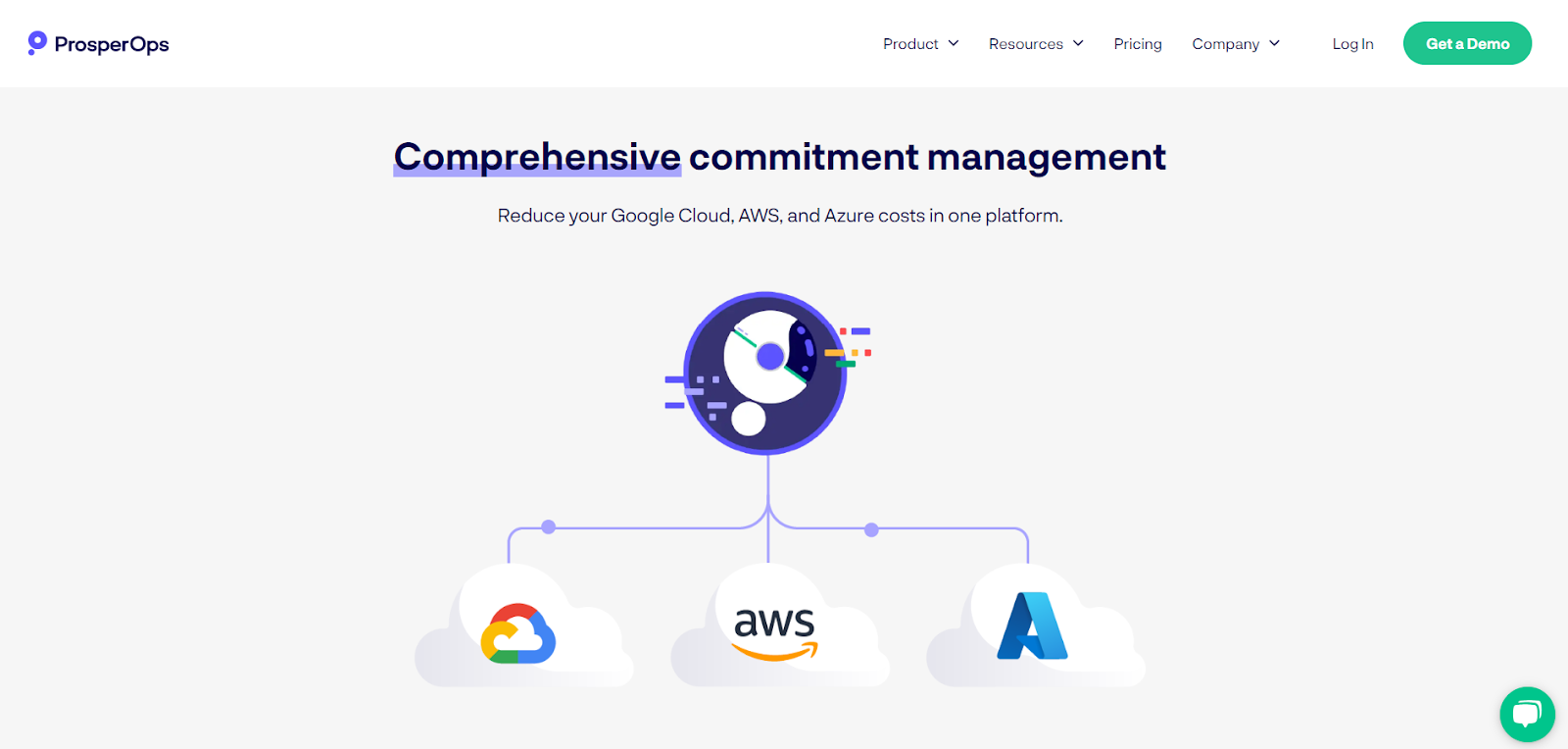
AWS, Microsoft Azure, and Google Cloud offer discount models for cloud cost optimization. But managing these discount instruments on a real-time basis to ensure you are neither overcommitting nor letting your savings opportunities go to waste, is a challenging deal.
This is where ProsperOps can help!
ProsperOps is a fully automated, multi-cloud cost optimization platform for AWS, Azure, and Google Cloud. It automates cloud cost optimization by adapting to your usage in real time, eliminating waste, maximizing savings, and ensuring every cloud dollar is spent effectively.
ProsperOps delivers cloud savings-as-a-service, automatically blending discount instruments to maximize your savings while lowering Commitment Lock-in Risk. Using our Autonomous Discount Management platform, we optimize the hyperscaler’s native discount instruments to reduce your cloud spend and help you achieve 45% ESR or more, placing you in the top 5% of FinOps teams.
In addition to autonomous rate optimization, ProsperOps now supports usage optimization through its resource scheduling product, ProsperOps Scheduler. Our customers using Autonomous Discount Management™ (ADM) can now automate resource state changes and integrate seamlessly with ProsperOps Scheduler to reduce waste and lower cloud spend.
Make the most of your cloud spend across AWS, Azure, and Google Cloud with ProsperOps. Schedule your free demo today!